
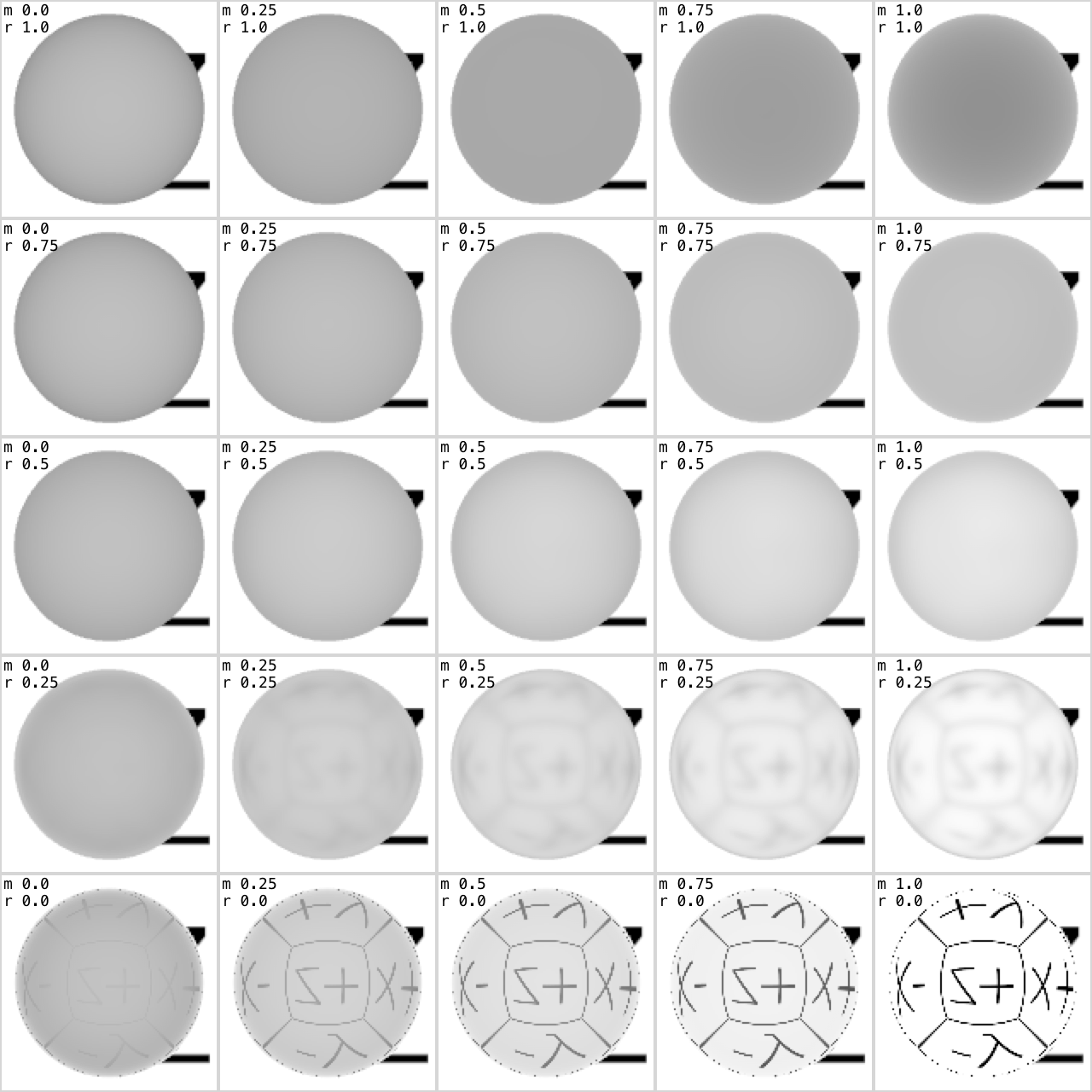
I've noticed that I can't create physically based materials that look like "white plastic"; diffuse close to 1, metalness close to 0, roughness close to 0. They always look too dark, especially when looking at them from negative z. Objects are darker towards (world) -z, no matter the orientation of the object, and no matter what lighting environment is used.
So I wrote a simple program (code below) to try and isolate the issue.
The program makes a cube map in which each face is white with a thin black border and direction label. This cube map is used for the lightingEnvironment and background of the SCNScene.
The scene's rootNode has a single childNode which is a sphere with a physically based material with diffuse set to 1.
It will render 5 x 5 snapshots of the same scene with different values for the white sphere's metalness and roughness.
Here's the result for three different camera angles, looking at the sphere from the front, back and top. Which in SceneKit's coordinate system corresponds to looking towards -z, +z and -y (note that the label in the opposite direction is reflected in the bottom right sphere which has metalness 1 and roughness 0):
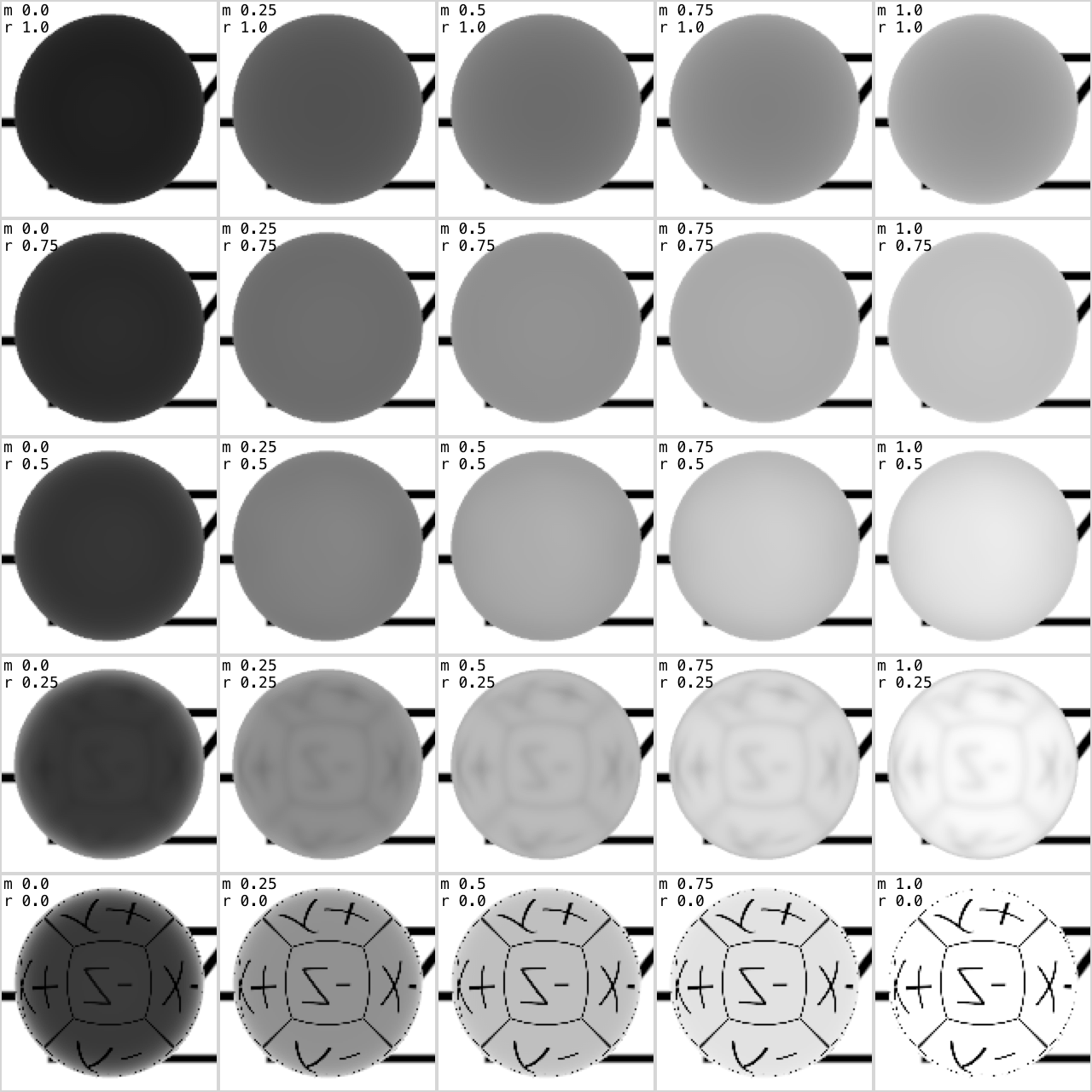
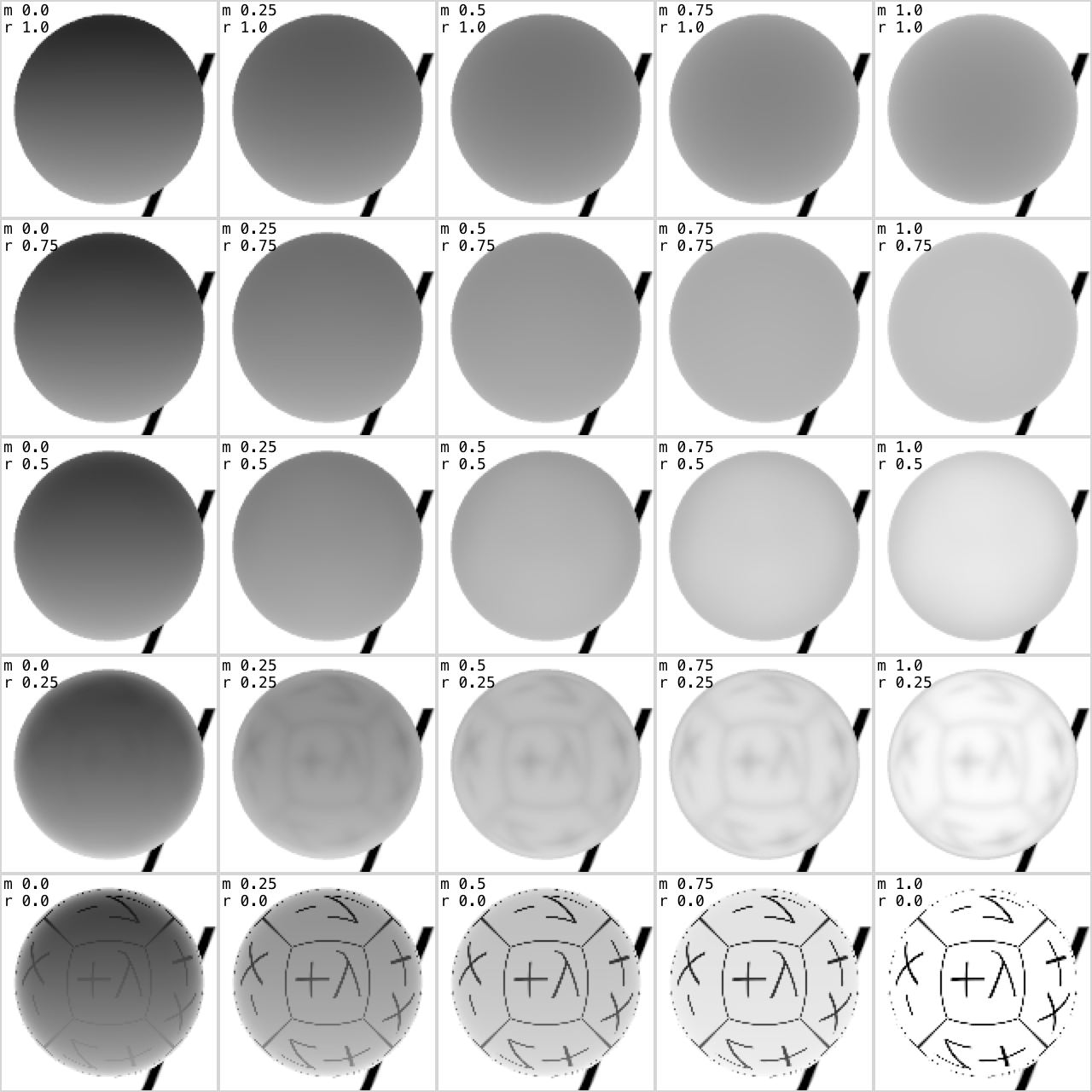
Metalness increases from left to right and roughness increases from bottom to top (click for larger images).
How can the object be so dark even though its lighting environment — which is the only source of light in the scene — is white everywhere (except the thin border and labels) and the material's diffuse is 1?
And why isn't it evenly lit? Why is it darker on the backside (2nd image) than on the frontside (1st image)?
EDIT: This twitter conversation showed that the issue might be hardware specific (I have an Intel Iris Pro 1536 MB). I've since verified this with another MBP. Here's the last image from above again, the one looking down towards -y, compared with the same image produced on this other more recent MBP:
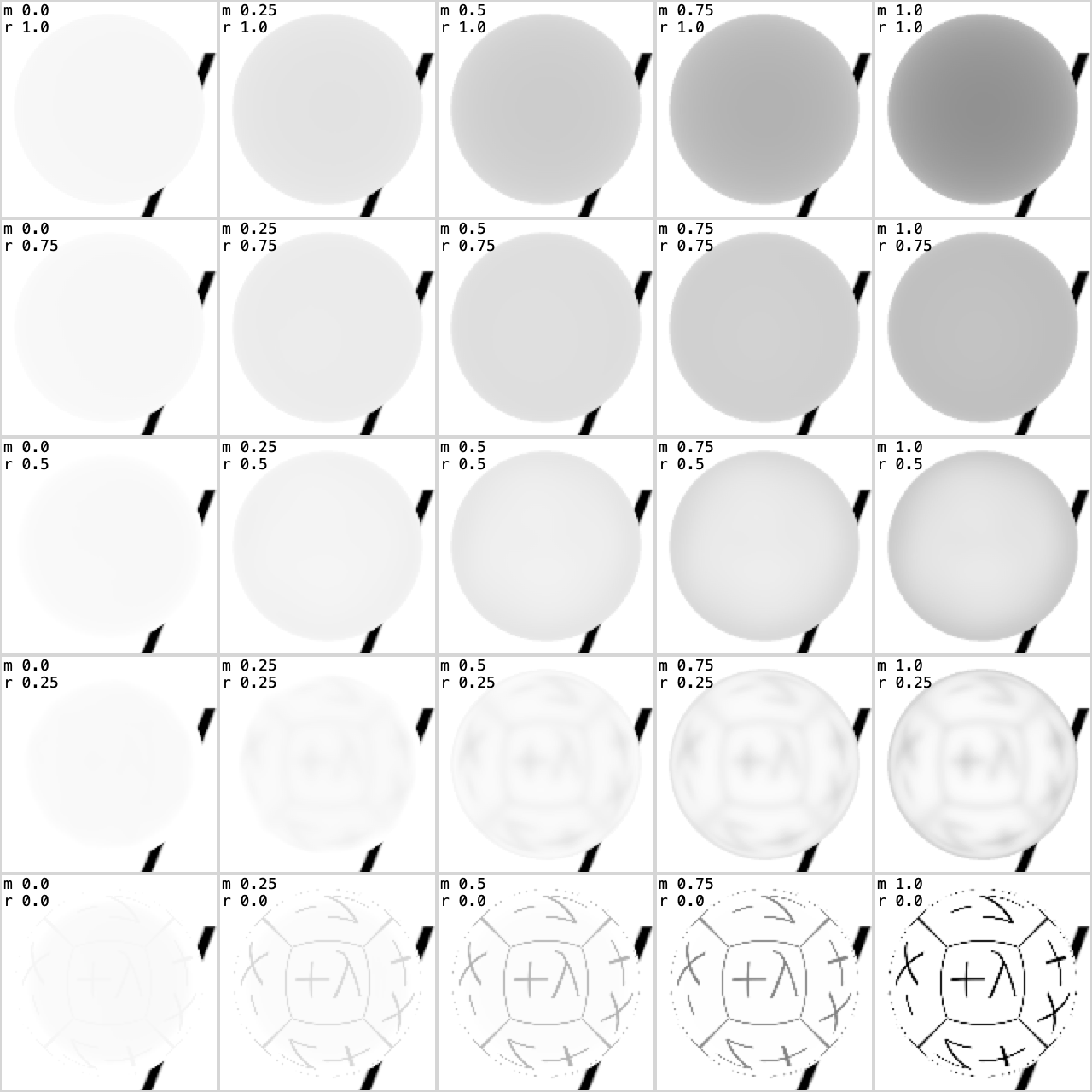
The right one looks like I would expect. So this seems to be a (possibly hardware specific) bug. I've filed radar 45495267.
The following is the small command line program that was used to produce the above images:
//-----------------------------------------------------------------------------
// This command line program saves an image called test.png on the current
// user's Desktop and its pupose is to demonstrate the following:
//
// Physically based materials with low metalness are darker towards
// negative z, no matter what lightingEnvironment is used, and no matter what
// the orientation of the object is.
//
// This program makes a cubemap (it draws it as an NSImage) that is white
// on every face (with a thin black border and direction label), and the only
// object in the scene (a sphere) has diffuse set to 1. Despite this, the
// object will be darker on the side towards -z.
//
// I'm seeing this with Xcode 10.0 (10A255) on a
// MacBook Pro (Retina, 15-inch, Late 2013), Intel Iris Pro 1536 MB
// using macOS Mojave 10.14
//
// The images that I get from this program can be seen here:
// www.bitcycle.com/scenekit-issue
//
// Compile: swiftc -O SceneKitTest.swift
// Run: ./SceneKitTest
//
// Note that the issue is not reproduced on a newer different rMBP:
// https://twitter.com/warrenm/status/1054803366054780931
//
//-----------------------------------------------------------------------------

import SceneKit


extension NSImage {
    func saveToDesktopAsTestPng() {
        let bmRep = NSBitmapImageRep(data: tiffRepresentation!)!
        let pngData = bmRep.representation(using: .png, properties: [:])!
        let url = FileManager.default.urls(for: .desktopDirectory,
                                           in: .userDomainMask).first!
            .appendingPathComponent("test.png")
        try! pngData.write(to: url, options: .atomic)
    }
}

/// Returns a vertical strip cube map in which each face has a white
/// background, a thin black border and a centered label that says what
/// direction (+X, -X, +Y, …) it faces.
func makeTestCubeMap(width: Int) -> NSImage {
    let image = NSImage(size: NSSize(width: width, height: 6*width))
    image.lockFocus()
    NSColor.white.setFill()
    NSRect(x: 0, y: 0, width: width, height: 6*width).fill()
    let ps = NSMutableParagraphStyle()
    ps.alignment = .center
    let font = NSFont(name: "Helvetica Neue Thin",
                      size: CGFloat(width)*0.7)!
    let attrs: [NSAttributedString.Key : Any] = [
        .font: font,
        .foregroundColor: NSColor.black,
        .paragraphStyle: ps
    ]
    // Side-note: The face order in a cube map is different in the docs and
    // the SceneKit implementation, have to flip +z and -z to make it
    // right. I've posted a question about this here:
    // https://forums.developer.apple.com/thread/110056
    NSColor.black.setStroke()
    ["+x", "-x", "+y", "-y", "-z", "+z"]
        .reversed().enumerated().forEach { (index, str) in
            let s = NSAttributedString(string: str, attributes: attrs)
            let br = s.boundingRect(with: .zero, options: [])
            let r = NSRect(
                x: 0,
                y: CGFloat(width)*(CGFloat(index) + 0.5) - font.xHeight,
                width: CGFloat(width),
                height: br.size.height
            )
            s.draw(in: r)
            NSRect(x: 0, y: width*index, width: width, height: width)
                .frame(withWidth: CGFloat(width)/64,
                       using: NSCompositingOperation.sourceOver)
    }
    image.unlockFocus()
    return image
}

/// Returns a scene with lighting environment and background set to
/// `NSImage.testCubeMap(width: 512)`. It has a single child node in its
/// `rootNode` that is sphere with a single physically based material that
/// has `diffuse = 1.0`.
func makeTestScene() -> SCNScene {
    let scene = SCNScene()
    scene.lightingEnvironment.contents = makeTestCubeMap(width: 512)
    scene.background.contents = scene.lightingEnvironment.contents

    let sphereGeom = SCNSphere(radius: 0.45)
    sphereGeom.segmentCount = 48
    let sphereNode = SCNNode()
    sphereNode.geometry = sphereGeom
    sphereNode.geometry!.firstMaterial!.lightingModel = .physicallyBased
    sphereNode.geometry!.firstMaterial!.diffuse.contents = 1.0
    scene.rootNode.addChildNode(sphereNode)
    return scene
}

enum CameraPosePreset {
    /// Camera is in front of the sphere, looking towards negative z.
    case towardsNegZ
    /// Camera is behind the sphere, looking towards positive z.
    case towardsPosZ
    /// Camera is above the sphere, looking down towards negative y.
    case towardsNegY
}
extension SCNNode {
    func setPositionAndOrientation(from posePreset: CameraPosePreset) {
        switch posePreset {
        case .towardsNegZ:
            simdPosition = float3(0, 0, 1)
        case .towardsPosZ:
            simdPosition = float3(0, 0, -1)
            simdOrientation = simd_quatf(angle: .pi, axis: float3(0, 1, 0))
        case .towardsNegY:
            simdPosition = float3(0, 1, 0)
            simdOrientation = simd_quatf(angle: -.pi/2, axis: float3(1, 0, 0))
        }
    }
}

func renderTestScenesAndSaveResultOnDesktop(cameraPose: CameraPosePreset) {
    let rowAndColumnCount = 5
    let sceneRes = 128
    let canvasSize = rowAndColumnCount * sceneRes
    let canvas = NSImage(size: NSSize(width: canvasSize, height: canvasSize))

    let sceneFrame = NSRect(x: 0, y: 0, width: sceneRes, height: sceneRes)
    let sceneView = SCNView(frame: sceneFrame)
    sceneView.scene = makeTestScene()
    sceneView.allowsCameraControl = false
    sceneView.autoenablesDefaultLighting = false

    let cameraNode = SCNNode()
    cameraNode.camera = SCNCamera()
    cameraNode.camera!.wantsHDR = true
    cameraNode.camera!.zNear = 0.1
    cameraNode.camera!.wantsExposureAdaptation = false
    cameraNode.setPositionAndOrientation(from: cameraPose)
    sceneView.pointOfView = cameraNode

    let sphereMaterial = sceneView.scene!.rootNode
        .childNodes[0].geometry!.firstMaterial!
    let attrs: [NSAttributedString.Key : Any] = [
        .font: NSFont(name: "Menlo", size: 9)!,
        .foregroundColor: NSColor.black,
    ]
    for rowIndex in 0 ..< rowAndColumnCount {
        for columnIndex in 0 ..< rowAndColumnCount {
            let i = columnIndex + rowIndex*rowAndColumnCount
            print("Rendering \(i+1)/\(rowAndColumnCount*rowAndColumnCount) …")
            let mness = Double(columnIndex) / Double(rowAndColumnCount-1)
            let rness = Double(rowIndex) / Double(rowAndColumnCount-1)
            sphereMaterial.metalness.contents = mness
            sphereMaterial.roughness.contents = rness

            let sceneImg = sceneView.snapshot()
            canvas.lockFocus()
            let p = CGPoint(x: CGFloat(columnIndex * sceneRes),
                            y: CGFloat(rowIndex * sceneRes))
            sceneImg.draw(at: p, from: sceneFrame, operation: .copy,
                          fraction: 1.0)
            let attrStr = NSAttributedString(string: "m \(mness)\nr \(rness)",
                                             attributes: attrs)
            let f = sceneFrame.offsetBy(dx: p.x, dy: p.y)
            attrStr.draw(in: f.offsetBy(dx: 2, dy: -1))
            NSColor(calibratedWhite: 0.8, alpha: 1).setFill()
            f.frame(withWidth: 1, using: .sourceOver)
            canvas.unlockFocus()
        }
    }
    print("Done!")
    canvas.saveToDesktopAsTestPng()
}

renderTestScenesAndSaveResultOnDesktop(cameraPose: .towardsNegY)